
A subscription can look inexpensive until you discover that the introductory price, renewal date, cancellation route and player-app fee live on different pages. Before you pay, capture the terms that apply to your exact order. This checklist helps you compare what a seller says now with what appears on your later receipt. It does not assume that every IPTV service renews automatically or that every trial requires a card.
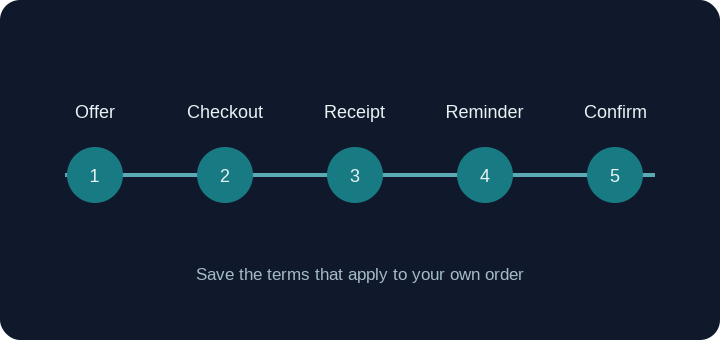
1. Identify every separate subscription
The content plan and the player app can be sold by different companies. A streaming device may be a third purchase. List the legal seller or merchant shown at each checkout, the product being purchased and the payment method. If the app has its own trial or renewal, cancelling the content plan might not end the app charge. Our player-app cost guide separates these layers.
Check whether a second screen requires another connection, another app licence, or both. Do not use the number of devices on a marketing graphic as proof of simultaneous-stream permission. The exact order description should say what you receive.
2. Record the terms before pressing Pay
Save the offer page and final checkout screen as dated screenshots or PDFs. Record the first payment, currency, taxes or other mandatory charges, term length, renewal amount, renewal date and whether payment repeats automatically. A promotional first month and the later recurring amount are two different figures. If checkout differs from the landing page, ask support before paying and retain the answer.
For a trial, note when access begins, when it ends, whether payment details are required and when cancellation must occur to avoid a charge. Avoid copying a friend's old screenshot: terms can change, and the offer at your own checkout is the one you must evaluate. The US Federal Trade Commission's subscription guidance recommends checking these conditions before signing up.
3. Find the actual cancellation route
Locate the cancellation instructions before buying: account portal, support contact, app store, or another method stated by the seller. Note any notice deadline and whether cancellation ends access immediately or at the end of the paid term. If the route is unclear, request written instructions. A vague "contact us" promise is not enough to estimate how long a cancellation will take.
Some purchases are managed by the provider, while others are billed through an app store or another platform. The charge descriptor on your receipt can help identify which account to check. Do not send your password, full payment-card details or login code in a public review or support message.
4. Keep the receipt and renewal reminder
After purchase, compare the order confirmation with the checkout screen. Check the charged amount, subscription term, permitted connections and next billing date. Save the invoice or receipt, the email address used for the order and the support ticket number if you asked for clarification. Set a reminder before the cancellation deadline with enough time to resolve a support delay.
If a renewal notice asks you to enter payment details again, open the seller's known website directly instead of trusting the link in the message. The FTC advises checking whether a renewal notice matches what you expected and warns that unexpected payment requests can be misleading.
5. If you cancel, preserve proof
Follow the seller's stated process and save a dated confirmation screen, email or ticket. Check whether the status reads "cancelled," "will not renew," or merely "request received." Those are different outcomes. If you also purchased a separate player app, check that account independently. Keep the confirmation until after the next expected billing date, then review your statement for an unexpected charge.
If the seller disputes a charge, start with its support channel and provide the order identifier, dates and screenshots without exposing your password. Your payment provider may offer a separate dispute route. This page does not decide your rights or guarantee a refund; local rules and the terms of your specific transaction matter.
Copy this five-line buying record
| Record | What to save |
|---|---|
| Offer | Product, seller, term and advertised price |
| Checkout | Final total, currency, taxes, renewal terms |
| Receipt | Order ID, charge descriptor, support contact |
| Reminder | Renewal date and cancellation deadline |
| Cancellation | Method used and final confirmation |
Use the plan comparison to shortlist a suitable term and connection count. If you already have a plan and are deciding whether to continue, use our renewal checklist. These guides help you ask better questions; the current provider checkout and written terms control your purchase.
For an example of a provider's live purchase path, check TereaTV's current cart. This is a promotional link to a service operated by our network; verify its offer and cancellation conditions yourself before paying.